Instagram Weekly Review: A 20-Minute Routine for Creators

Most Indian creators look at Instagram Insights when a post does well, then forget it for a month. A short weekly review fixes that. Once a week, you spend about 20 minutes writing down five numbers, comparing them with the week before and choosing one change to test. That is the whole system. It works because it turns random checking into a habit, and a habit is what makes your numbers useful over time.
This guide shows you how to set up that routine, which numbers to log, how to decide what to change and what to ignore. It works for a personal creator account, a shop or a small team. You only need the Instagram app and a notes file or a spreadsheet.
Why a weekly review beats checking every day
Daily checking makes you chase noise. One Reel can get a lot of views on a Tuesday because a page shared it, and the next day the same format gets almost nothing. If you change your whole plan after each of those days, you never learn what is working.
A weekly review gives you enough posts to see a pattern. Most accounts post a few times a week, so seven days is usually enough to compare two or three pieces of content, and it fits in a normal schedule. Instagram keeps Insights for the past 90 days, so you can also look back at a month or a quarter when you need a longer view.
The five numbers to log every week
Open Insights in the app, pick the last 7 days from the timeframe menu, and write down these five numbers. Keep the same order every week so the file is easy to scan.
- Posts and Reels published. Count what you actually posted. This is your consistency number. If you planned four Reels and posted two, that matters more than any metric.
- Viewers. This is the number of unique accounts that saw your content on screen at least once. The Instagram help pages call this the Viewers figure. Many older tools still call it reach, so do not be confused if you see both names.
- Accounts engaged. This counts unique accounts that liked, commented, saved or shared. It tells you how many different people reacted, not how many taps happened.
- Interactions. This is the total number of actions people took, such as likes, comments, saves and shares. Compare it with accounts engaged. If interactions are high and accounts engaged is low, a few people are reacting many times.
- Followers gained and lost. Check the follower total on your profile and write the change down. Do not read one week as a verdict. Look for a trend over four weeks.
If you post Stories, add a sixth line for Story views and replies. Our Story Insights guide explains what each Story number means, so you do not misread them.
The 20-minute routine, step by step
Pick one fixed slot, for example Sunday evening, and keep it. Set a timer for 20 minutes.
Minutes 1 to 5: Log the numbers. Fill in the five lines above for the past seven days. Do not analyse yet. Just copy the numbers.
Minutes 6 to 10: Compare with the week before. Put last week's line under this week's. Note the direction for each number: up, down or flat. A small move is flat. Do not celebrate or panic about small changes.
Minutes 11 to 15: Sort your posts. Open the top two and the bottom two posts from the past week. For each one, note the format (Reel, carousel or single photo), the topic, the first line of the caption and the posting time. Look for a shared pattern. Maybe all the top two were carousels about one problem your customers face. That is a clue, not a rule.
Minutes 16 to 20: Choose one change. Pick one thing to test next week. Good examples are: post one carousel instead of one Reel, reply to every comment in the first hour, or move your posting time by two hours. Write the change and the reason on one line. Change only one thing at a time, or you will not know what caused the result.
That is all. You do not need a dashboard or a long report every week.
How to decide what to change
A simple rule helps. If the number you care about is not moving, do not add more posts. Look at the first step in the chain that is weak. Low Viewers means the content is not reaching new eyes, so test the first three seconds of a Reel or the cover image. Good Viewers but low accounts engaged means people are watching and leaving, so test a clearer caption or a question at the end. Good accounts engaged but flat followers means people like the post but do not feel the account is for them, so check your bio and pinned posts.
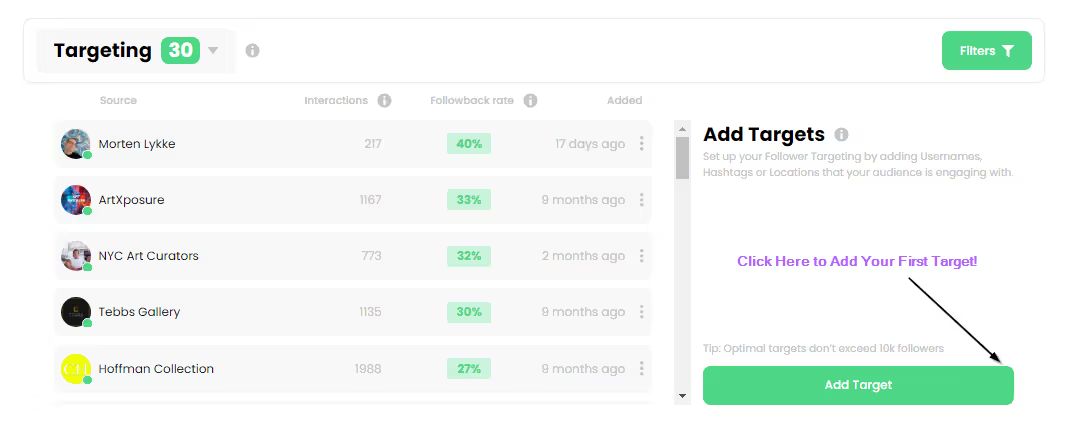
This is also where your hashtags and audience matter. If Viewers drop after you narrow your topic, your wording may be too broad or too vague. Our hashtag strategy guide and the audience targeting guide give practical ways to make your topic clearer, so the right people see the right posts.
Keep a note of what you tested and what happened. After six or eight weeks you will have a short list of changes that worked for your own account. That list is worth more than any general tip you read online, including this one.
What not to do with the numbers
Some habits make the review worse, even if you do it every week.
Do not compare your account with a large creator in your niche. Their audience, history and budget are different. Compare your own weeks with each other.
Do not read a single post as proof of anything. One post is one sample. Wait for three or four similar posts before you decide a format works.
Do not buy followers or likes to make a week look better. It hides the real numbers you need to learn from. Your review is most useful when the numbers are your own.
Do not judge a post in its first hour. Reels and carousels often keep getting views for days. Check each post again at the end of the week before you decide.
Keep the habit going
The review only helps if you do it. Three small things make it stick. Put the slot in your calendar with a name, for example Insights 20 minutes. Keep the log in one place you already open, such as a notes app or a shared sheet. And if you miss a week, just start the next one. Do not skip a week because the numbers look poor. Bad weeks teach you the most when you look at them calmly.
If you are also deciding how often to post, our guide on how often to post on Instagram in 2026 for Indian creators gives a realistic schedule to test alongside this review. Consistency matters more than volume, and the weekly log is how you see whether your schedule is working.
Frequently asked questions
How long should a weekly Instagram review take?
About 20 minutes is enough for most personal and small business accounts. Logging the numbers takes five minutes. Comparing, sorting the top and bottom posts, and choosing one change takes the rest. If you find yourself spending an hour, you are probably trying to analyse too many things at once.
Which Instagram Insights numbers matter most for a beginner?
Start with posts published, Viewers, accounts engaged and followers gained or lost. These four show whether people are seeing your content, reacting to it and choosing to follow. Add interactions once you are comfortable reading the others. Do not try to track every metric in the app on day one.
What is the difference between Viewers and views on Instagram?
Viewers counts unique accounts that saw your content on screen at least once. Views counts every play or display, so one person watching a Reel three times adds one to Viewers and three to views. Use Viewers to judge how many different people you reached, and views to see how often the content was played.
Why do my Insights show nothing for the last 7 days?
Some Insights, especially audience demographics, only appear for certain timeframes and once you have reached a minimum number of accounts. If the last 7 days is empty, try the last 30 days or the previous month. Instagram shows Insights only for the past 90 days, so save your weekly log if you want a longer history.
Should I change my whole strategy after one bad week?
No. A single week is a small sample, and posts can vary a lot for reasons you do not control. Make one small change, test it for two or three weeks and compare again. Big changes after one bad week often make the next week harder to read.
Do I need a paid tool to run a weekly review?
No. The Instagram app has everything you need for this routine. A notes app or a free spreadsheet is enough for the log. Paid tools can save time if you manage many accounts, but a solo creator or small shop can run the whole process by hand in about 20 minutes a week.
Your next step on Kicksta
If you want to read the numbers more confidently, start with the Instagram Insights guide for Indian creators on this site. It explains each area of the app in plain language. When you are ready to test growth on a small scale, you can create a free account on Kicksta and see how an order moves through your dashboard before you commit to anything larger. Our Instagram followers page lists the options and what each one needs, so you can compare them honestly.
Numbers only help when they guide action. Log them every week, change one thing at a time, and let the log tell you what works for your account.